Yes, it is, and it has been quietly using AI long before ChatGPT made the term trendy. With over 30 million daily users, Grammarly sits in a strange spot: everyone uses it, but few actually know what powers it. So, is Grammarly AI in the same way as ChatGPT is? Sort of, but with a distinctive approach.
Here’s what this guide talks about:
● What Grammarly actually is (and isn’t)
● Its key features and how they work
● A step-by-step walkthrough of using Grammarly AI
● How it compares to ChatGPT, Jasper, and other AI writers
● How to pick the right AI writing tool for your needs
Let’s settle the question once and for all!
What Is Grammarly?
Grammarly is an AI-powered writing assistant that checks your grammar, spelling, punctuation, tone, and clarity in real time, across nearly every app and website you write in.
Founded in 2009 by Max Lytvyn, Alex Shevchenko, and Dmytro Lider, Grammarly has grown into one of the most recognized AI writing assistants on the planet, serving over 30 million daily users. It works everywhere: Gmail, Google Docs, LinkedIn, Slack, Microsoft Word, and your mobile keyboard.
What Grammarly Does?
Here’s the quick rundown of how Grammarly helps:
● Fixes grammar, spelling, and punctuation as you type
● Analyzes tone so your message lands the way you intend
● Suggests clearer sentences and tighter word choices
● Generates drafts and rewrites through its built-in generative AI
● Detects plagiarism (Premium feature)
In short, Grammarly takes care of the small stuff so you can focus on what you actually want to say.
Key Features of Grammarly
Grammarly has come a long way from being a simple spellchecker. Today, it blends traditional grammar rules with generative AI to help you write faster, cleaner, and smarter. Here are the features that make it worth the hype.
Real-Time Grammar and Spelling Checks
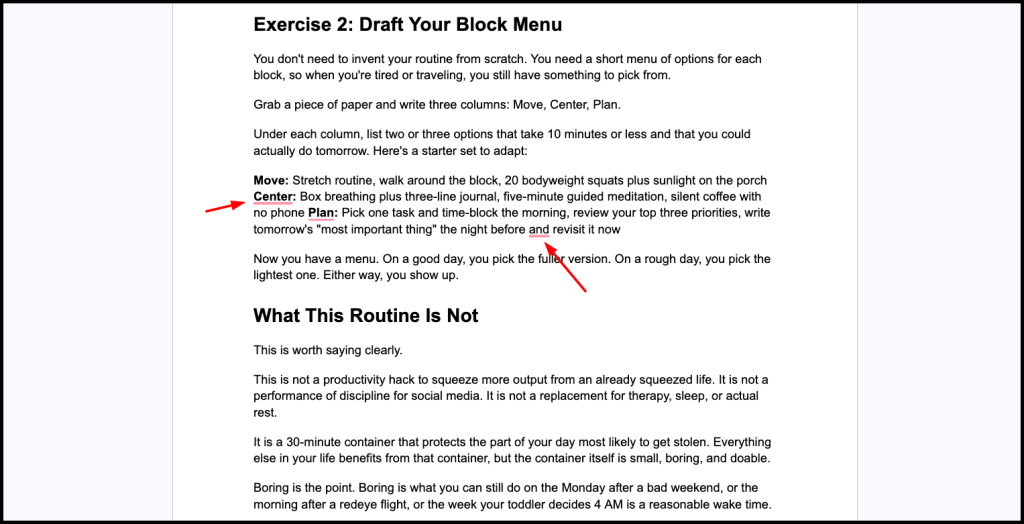
Grammarly scans your writing as you type. It catches typos, missed commas, misplaced modifiers, and other common mistakes instantly. Hover over any underlined word, and you get a clear suggestion plus a short explanation of why it’s wrong.
Tone Detection and Adjustment
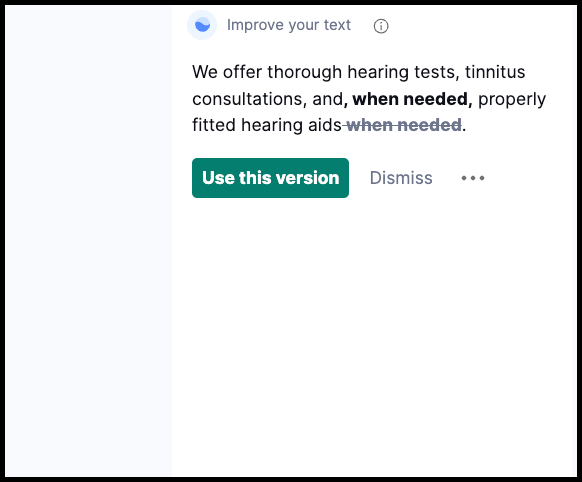
This is where Grammarly helps professionals. The tool analyzes whether your email sounds confident, polite, direct, or passive, and suggests tweaks to match your intended audience. You can also tell it to rewrite passages to sound more formal, friendlier, or more concise.
GrammarlyGO (Generative AI)
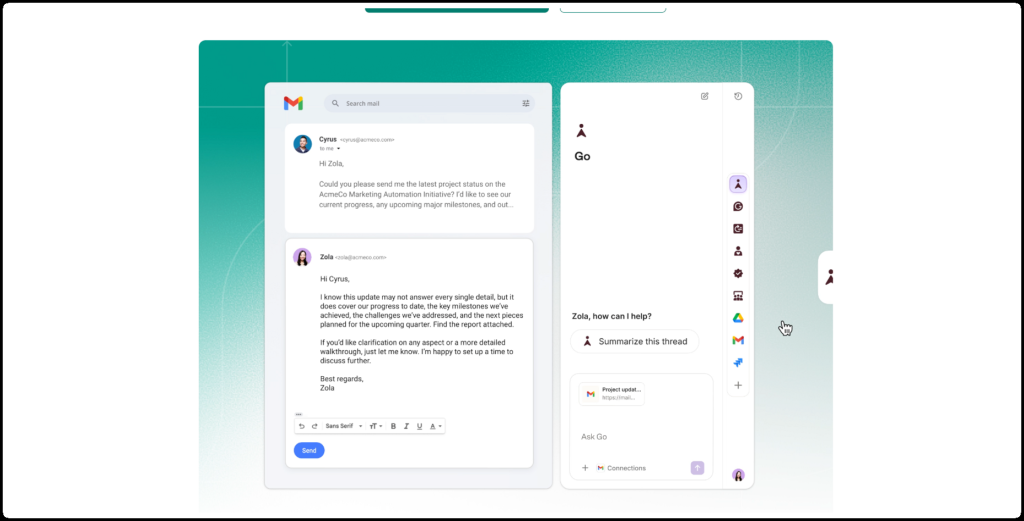
Launched in 2023 and expanded since, GrammarlyGO is the platform’s built-in generative AI. It can:
● Draft emails, outlines, and replies from a short prompt
● Rewrite existing text for tone, length, or clarity
● Summarize long documents
● Brainstorm ideas when you’re stuck
Pro plans include around 2,000 AI prompts per month, which covers heavy daily writers.
Plagiarism Checker
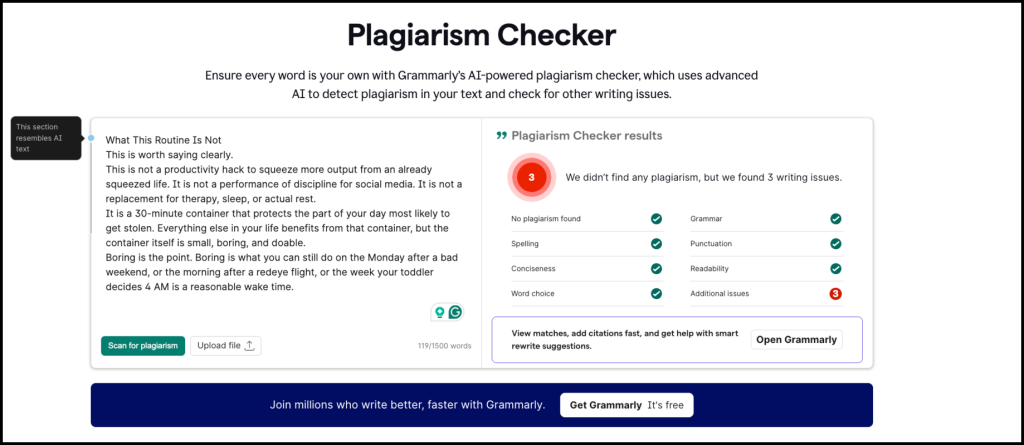
Grammarly’s Premium plan includes a plagiarism detector that scans your text against billions of web pages and academic sources like ProQuest. You get a similarity score plus source links.
Cross-Platform Integration
Grammarly works across 1 million+ apps and websites, including Gmail, Google Docs, LinkedIn, Slack, and Microsoft Word. There’s also a mobile keyboard, desktop app, and browser extension for Chrome, Safari, Edge, and Firefox.
Citation Generator
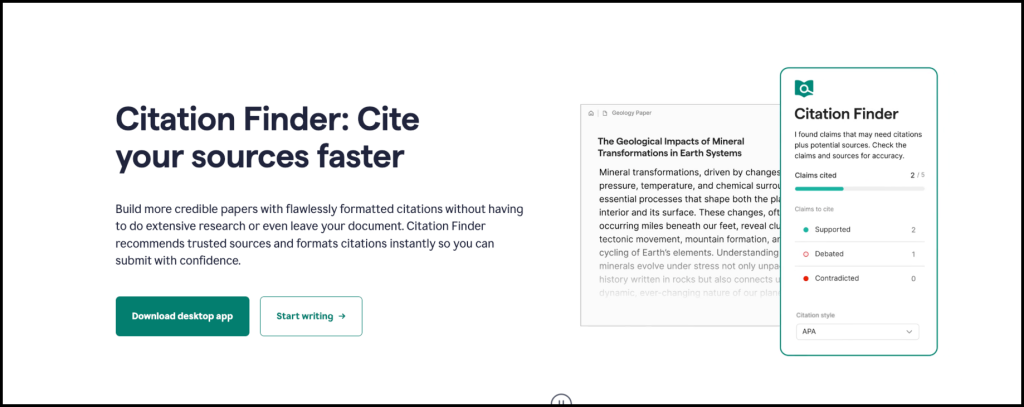
Free-tier users now get auto-citations in APA, MLA, and Chicago styles, a feature previously locked behind Premium. Handy for students and researchers.
Quick Feature Summary
|
Feature |
Free |
Premium |
|
Grammar and spelling checks |
✓ |
✓ |
|
Tone detection |
Limited |
✓ |
|
GrammarlyGO (generative AI) |
Basic |
Advanced |
|
Plagiarism checker |
✗ |
✓ |
|
Sentence rewrites |
Basic |
Full |
|
Auto-citations |
✓ |
✓ |
So, Grammarly is a full writing assistant built for anyone who types for a living.
How to Use Grammarly AI (Step-by-Step)
Using Grammarly AI takes about five minutes to set up and seconds to get value from. Here’s the exact workflow for anyone starting from scratch.
Step 1: Create a Free Account
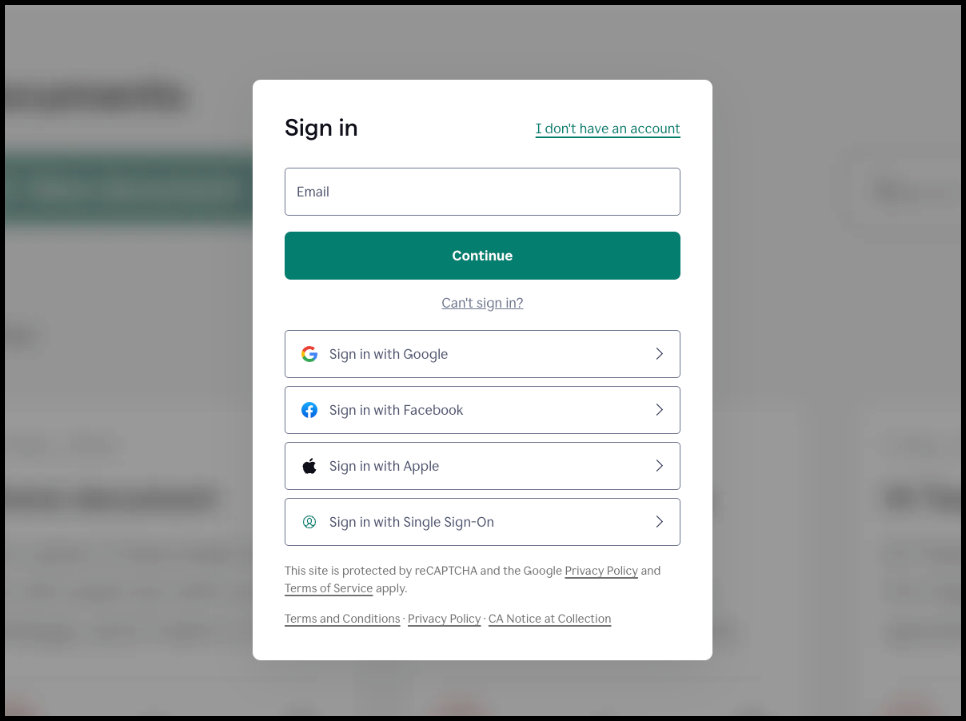
Head to grammarly.com and sign up using Google, Apple, Facebook, or your email address. You’ll be asked a few quick questions (writing goals, whether you’re a student, professional, or casual writer) to personalize suggestions.
Pro tip: Start with the free plan. You can upgrade to Premium later if you need tone analysis, plagiarism checking, or advanced AI rewrites.
Step 2: Install the Browser Extension or Desktop App
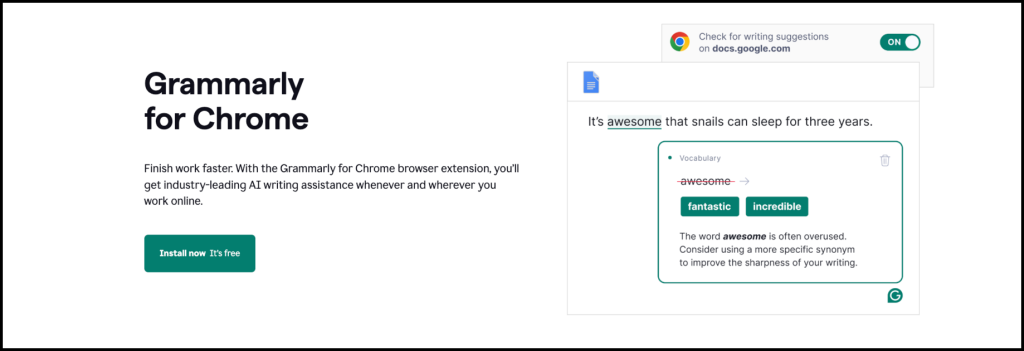
To use Grammarly everywhere you write, install:
● Browser extension for Chrome, Safari, Edge, or Firefox
● Desktop app for Windows or Mac
● Mobile keyboard for iOS or Android
● Add-in for Microsoft Word or Google Docs
Once installed, Grammarly runs quietly in the background on every text field you touch, from Gmail to LinkedIn to Slack.
Step 3: Open the Grammarly Editor
Log in to your Grammarly dashboard and click “New Document” (or the + button) under the Docs tab. A blank editor opens up.
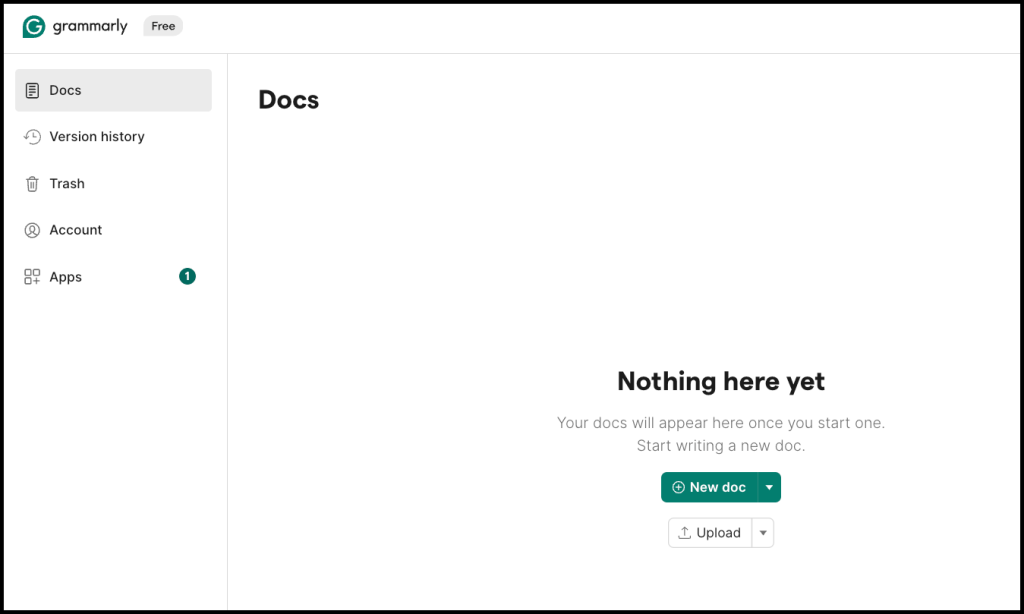
You can either:
● Start writing from scratch, or
● Paste existing content for Grammarly to review
Step 4: Review the Suggestions Panel
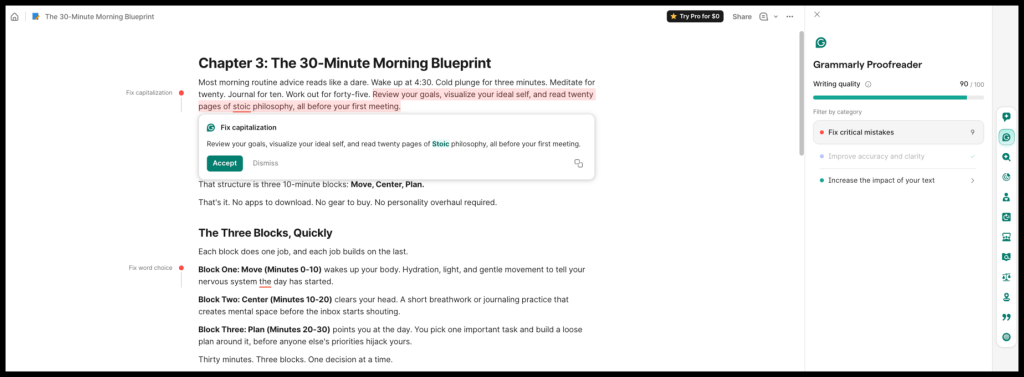
On the right side, you’ll see color-coded suggestions grouped into five categories:
● Correctness (grammar, spelling, punctuation)
● Clarity (wordiness, confusing phrasing)
● Engagement (variety, compelling language)
● Delivery (tone and formality)
● Plagiarism (Premium users only)
Click any suggestion to accept or dismiss it. Hover over the underlined text to see the explanation.
Step 5: Use GrammarlyGO for AI Assistance
Look for the Ask AI bar inside the editor.
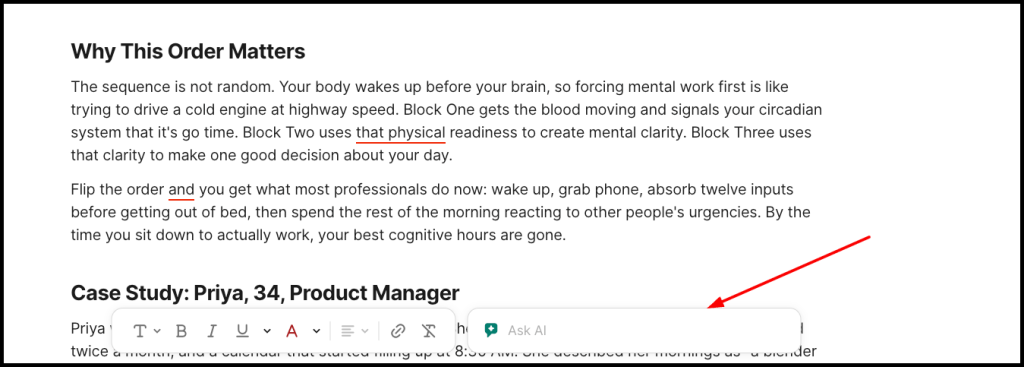
This opens GrammarlyGO, the built-in generative AI. From here you can:
● Draft an email, outline, or paragraph from a prompt
● Rewrite existing text for tone (formal, friendly, confident, etc.)
● Shorten or expand content
● Summarize long documents into a TL;DR
● Convert bullet points into full prose
Step 6: Check Tone and Plagiarism
Click the Grammarly Proofreader at the bottom of the editor to see how your writing reads (confident, neutral, friendly, etc.).
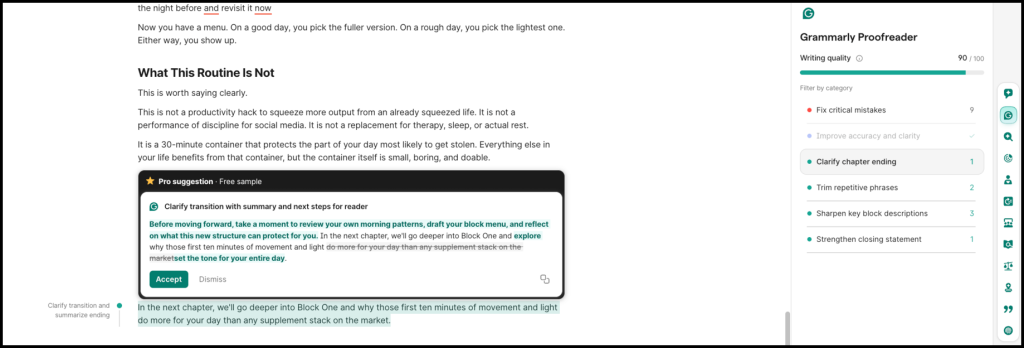
Premium users can also run a plagiarism check by clicking the Plagiarism tab, which scans billions of web pages and academic sources.
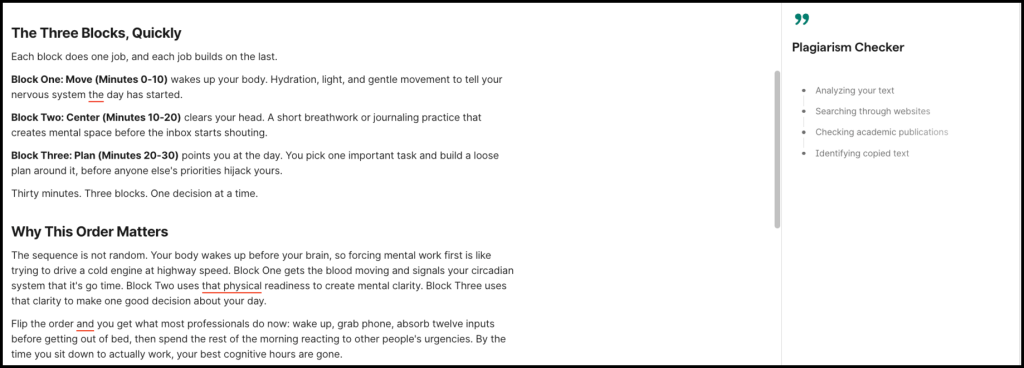
Step 7: Export or Copy Your Polished Draft
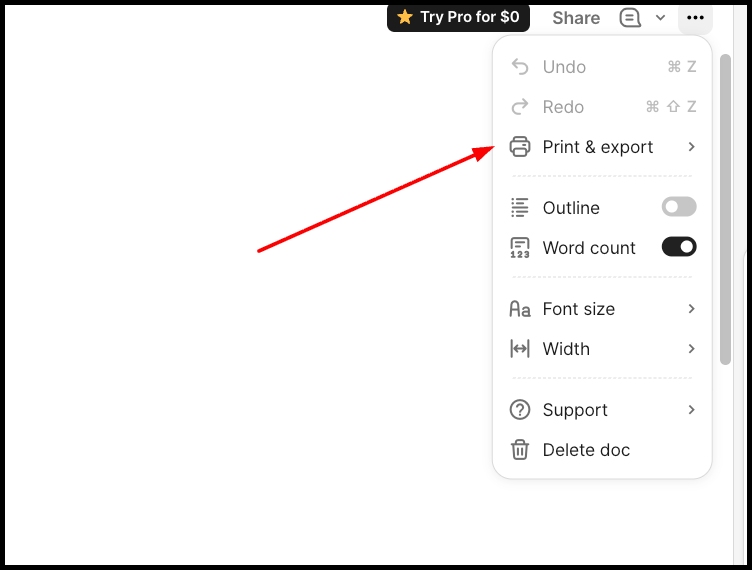
Once you’re done, copy the text directly into your target app, or export as .docx or .pdf from the editor.
That’s it. Your writing is now sharper, clearer, and ready to ship.
Grammarly AI vs. Other AI Writing Assistants
Grammarly AI is best for polishing what you write, while other tools shine at generating content from scratch. Here’s how Grammarly stacks up against three popular alternatives:
ChatGPT is OpenAI’s conversational AI and the most versatile writing tool on the market. It drafts blog posts, emails, code, stories, and pretty much anything else from a simple prompt.
● Best for: Brainstorming, drafting, research, coding help
● Pricing: Free tier available, Plus at $20/month
● Limitation: No real-time grammar checking across apps, no plagiarism detector
Jasper AI is a marketing-focused writing platform built for teams that need consistent, on-brand content at scale. It comes with templates for ads, blog posts, emails, and product descriptions.
● Best for: Marketing copy, brand voice consistency, team workflows
● Pricing: Starts at $69/month (Creator plan)
● Limitation: Pricier than alternatives, less flexible outside marketing use cases
Oreate AI General Writer is part of the broader Oreate AI workspace, launched in 2025 as an all-in-one AI platform. The General Writer tool specifically helps with blogs, articles, essays, and professional emails, with citation support and plagiarism checking baked in.
● Best for: Long-form articles, academic writing, research-heavy content
● Pricing: Free plan available, Pro at $7.9/month
● Limitation: Not built for real-time editing across apps the way Grammarly is
Grammarly AI is the category leader for real-time editing and polishing. It’s less about generating new content and more about making everything you write clearer, sharper, and error-free.
● Best for: Grammar, tone, clarity, cross-platform editing
● Pricing: Free tier, Premium at $12/month, Business at $15/member/month
● Limitation: GrammarlyGO content generation is basic compared to ChatGPT or Jasper
Side-by-Side Comparison
|
Tool |
Primary Strength |
Starting Price |
Best Use Case |
|
ChatGPT |
Versatile content generation |
Free / $20 mo |
Drafting, brainstorming, research |
|
Jasper AI |
Marketing copy at scale |
$69/mo |
Brand-aligned marketing content |
|
Oreate AI |
Long-form writing with citations |
Free / $7.9 mo |
Articles, essays, research papers |
|
Grammarly AI |
Real-time editing everywhere |
Free / $12 mo |
Grammar, tone, clarity polishing |
Grammarly AI isn’t really competing with ChatGPT, Jasper, or Oreate AI. It complements them. Most writers use two tools together: one to generate content (like ChatGPT or Oreate AI) and one to polish it (Grammarly). Pick based on where your biggest writing bottleneck lives.
How to Choose the Best AI Writing Tool for You
Picking the right AI writing tool comes down to matching the tool’s strengths with your actual workflow. Here’s what to weigh before committing to a subscription.
Define Your Primary Use Case
Start by asking: What do you write most often? Different tools excel at different jobs.
● Marketing copy and ads → Jasper AI
● Blog posts, research, and versatile drafting → ChatGPT or Claude
● Long-form articles, essays, or academic content → Oreate AI General Writer
● Grammar, tone, and cross-platform polishing → Grammarly AI
● SEO-optimized content → Writesonic or Surfer SEO
If you’re still writing the occasional email and report, a free AI writer like Grammarly’s free tier or ChatGPT’s free plan covers most needs.
Check the Integration Points
A tool you have to copy-paste into is a tool you’ll stop using. Look for native integration with the apps you already live in, like Gmail, Google Docs, Slack, Microsoft Word, or your browser.
Consider Budget vs. Value
Price isn’t everything, but it matters. Here’s a quick reality check:
● Free plans work for light users and students
● $10 to $20/month covers most solo writers and professionals
● $40+/month is for teams and agencies with brand voice needs
Pro tip: Start with a free trial before committing. Most serious writers end up using two tools together anyway, one for generating and one for editing.
Look for Must-Have Features
Not every tool ticks every box. Prioritize based on your writing reality:
● Real-time grammar and spelling
● Tone and clarity adjustments
● Plagiarism detection
● Citation management
● Generative AI for drafting
● Team collaboration
● Cross-platform support
Test Before You Commit
Most tools offer free tiers or trials. Spend a week writing inside one before locking in an annual plan. Paste a real document, not a homepage demo prompt, and see how it actually handles your voice and your workload.
Conclusion
So, is Grammarly AI? Yes, without a doubt. Grammarly is an AI-powered writing assistant that combines traditional grammar rules with modern generative AI (GrammarlyGO) to help you write faster, cleaner, and more confidently across every platform you use.
What makes Grammarly stand out is the way it quietly improves everything you write in real time. That said, Grammarly AI is just one piece of a bigger puzzle. Tools like ChatGPT, Jasper, and Oreate AI each solve different problems, and the smartest writers combine two or three of them to build a workflow that works.
If you’re still relying on willpower and a spellchecker, you’re leaving speed and quality on the table. Try Grammarly AI for your polishing needs, pair it with a generative tool for drafting, and watch your writing workflow transform. The future of writing isn’t human or AI. It’s human with AI, and it’s already here.