ChatGPT is an excellent tool for writing, but what it lacks is a human touch; hence, How To Make ChatGPT Sound More Human has become one of the most asked questions today. Although the tool is great for extracting in-depth information, readers can easily tell the content is written through AI because of its repeated structure.
Hence, the goal is not only to generate content but to create a writing piece that has a human touch. This is why, in this guide, we will let you know how to make ChatGPT sound more human and natural. So, without any further discussion, let us dig into the content!
Why ChatGPT Often Sounds Robotic?
It is very important to learn about all the things which make your content look and sound robotic. ChatGPT always relies on neutral language. That means it avoids adding strong opinions, and neither can add personal emotions. The same is why content ends up being flat and unengaging.
At the same time, the sentence structure it uses is always of a similar kind and repetitive. For example, lines follow the same pattern, and so do the paragraphs. Thus, making the entire document predictable.
Lastly, AI can not add personalized experiences. It can not share real and personal stories, because of which your content lacks depth and connection.
How to Make ChatGPT Sound More Human?
If you want to make your ChatGPT-written content sound more natural and human-written, you have to fix the problems discussed in the previous section. Here are some of the things you can do in this regard:
1. Use Clear and Detailed Prompts
Prompt is the first and most important part of the whole content creation. Hence, be very careful. Give prompts which are easy to understand and specific at the same time. Avoid giving vague and too generic prompts.
For example:
- Write in a friendly tone
- Use simple words
- Add emotions and examples
This is the exact place where a good prompt becomes more important than ever. Remember, the better the prompt you give, the better output you are going to get.
2. Ask for a Specific Tone
Always tell ChatGPT what tone you want. For example:
- Casual and friendly
- Professional but warm
- Storytelling style
When you define the tone, it helps to make the text from ChatGPT more human because the AI follows your direction.
3. Add Variations in Sentences
Human writing uses a mix of short and long sentences. AI often repeats the same structure.
So, you can ask ChatGPT:
“Use a mix of short and long sentences and avoid repetition.”
This is one of the best prompts to make GPT sound more human because it improves flow and readability.
4. Include Personal Style
You can tell ChatGPT to write like a person. For example:
“Write like a blogger sharing personal thoughts.”
This helps create a natural voice. It is a key step in learning how to make ChatGPT sound more human.
5. Add Examples and Stories
People connect with stories. So always ask AI to include examples.
For instance:
“Add a simple real-life example in each section.”
This improves engagement and helps to make text from ChatGPT more human, real, and relatable.
6. Avoid Overly Formal Language
AI often uses formal words. This makes the content stiff.
Instead, ask it to:
- Use simple words
- Avoid complex terms
- Keep sentences natural
This small change can greatly improve how to make ChatGPT sounds more human.
7. Edit the Output Manually
Even after using good prompts, you should review the content.
Check for:
- Repetition
- Robotic phrases
- Lack of emotion
Editing is important when learning how to make ChatGPT sound more human because AI cannot do everything perfectly.
Top 5 Prompts to Make GPT Sound More Human
Here are some ready-to-use prompts. These are helpful prompts to make GPT sound more human.
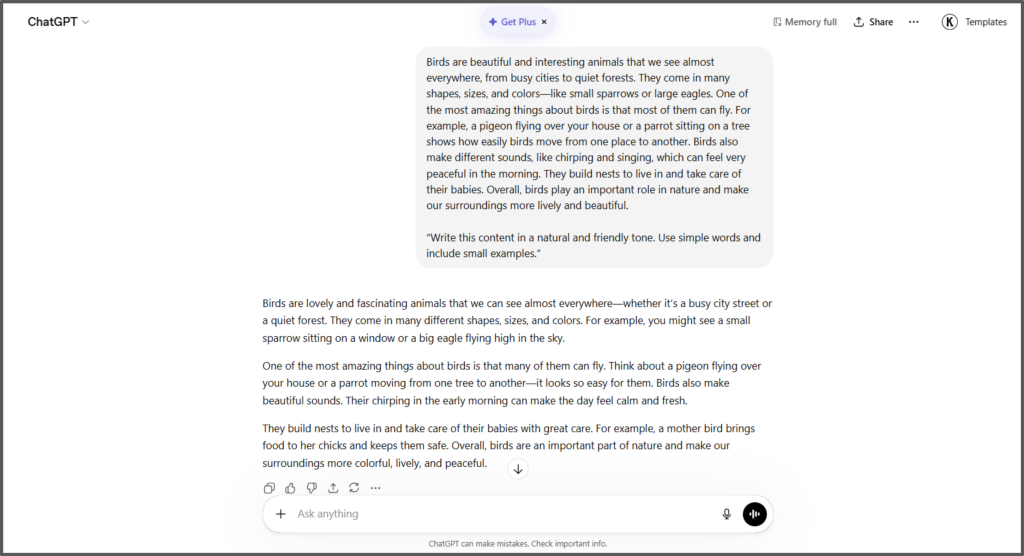
Prompt 1
“Write this content in a natural and friendly tone. Use simple words and include small examples.”
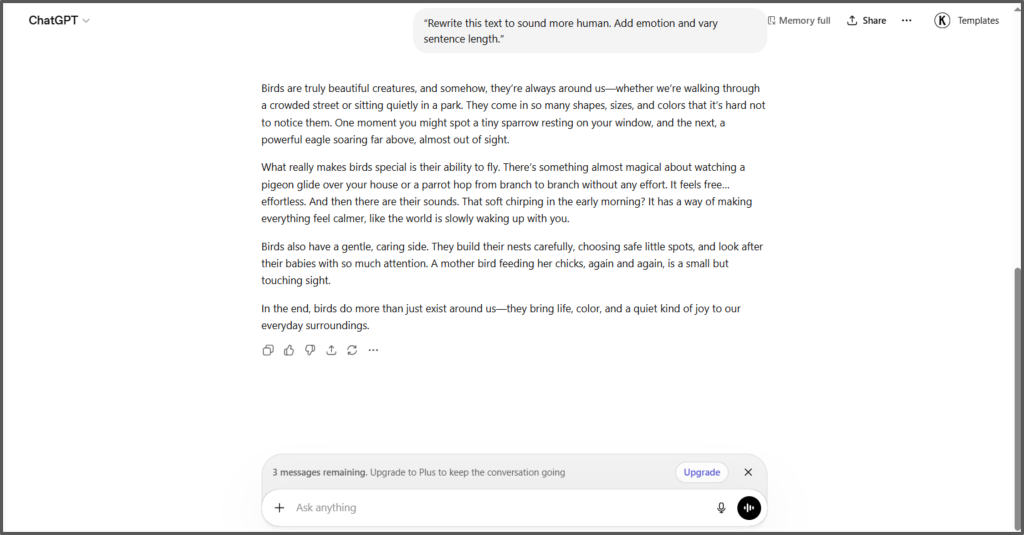
Prompt 2
“Rewrite this text to sound more human. Add emotion and vary sentence length.”
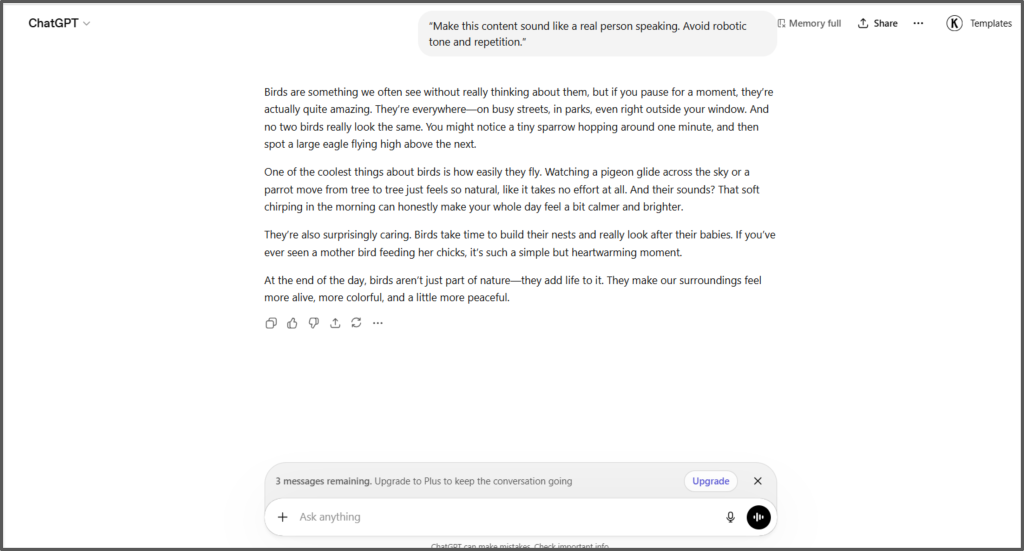
Prompt 3
“Make this content sound like a real person speaking. Avoid robotic tone and repetition.”
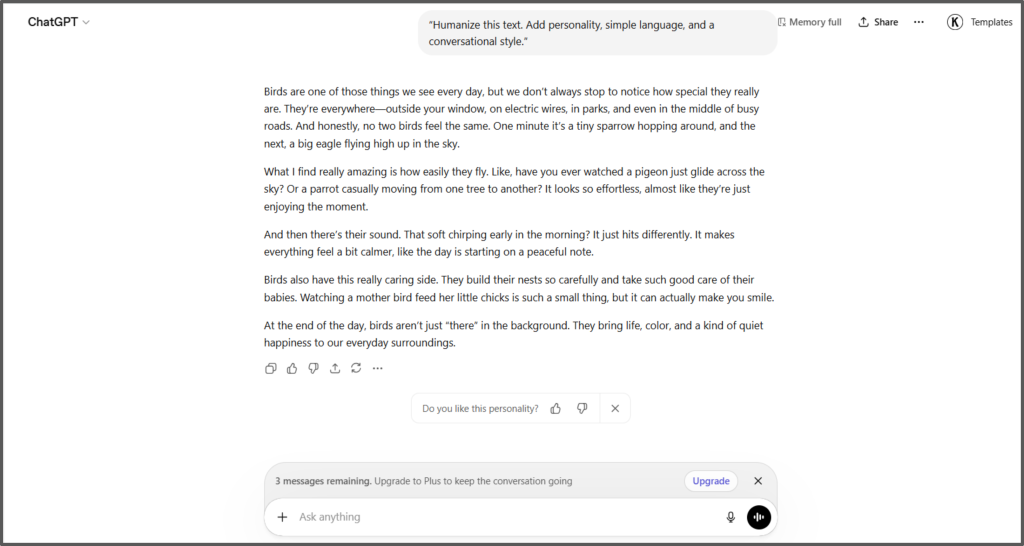
Prompt 4
“Humanize this text. Add personality, simple language, and a conversational style.”
Prompt 5
“Write like a blogger. Keep the tone casual and engaging.”
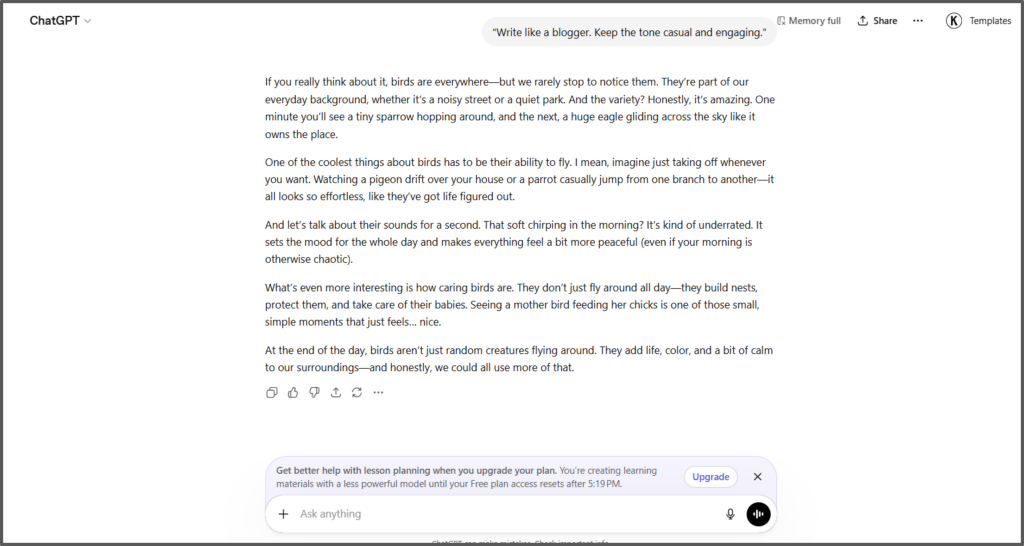
Using these humanized ChatGPT prompt examples can improve your results quickly. They guide the AI to produce better and more natural content.
How Do I Humanize the ChatGPT Content?
Although ChatGPT received a lot of direction, instruction, and right prompts up until now, there is still room for tweaking to improve ChatGPT’s realism. Here are suggestions for how to refine ChatGPT-generated content to be more realistic.
Add Personal Touch
Adding a personal touch is important as it helps further reduce the robotic tone. Don’t be worried, as there is literally no need to rewrite the entire thing or stress over making the changes, as minor changes do the work. What you can do is share your personal opinion somewhere, add a simple story, or use real examples experienced by you.
Change the Sentence Flow
Changing sentences is another simple thing to remove AI from the content. The best part is that you do not have to add anything of your own.
Just read the sentences which are already written, and rewrite those in simple words. You can do this in any section. Also, make sure to break complex sentences into two and add transition words for enhanced flow.
Use Simple Words
ChatGPT often uses advanced language. Therefore, some words in sentences of the content generated by ChatGPT may sound complex or hard to understand, which also makes it sound robotic, and AI can be detected.
It makes it sound human. All you have to do is replace the difficult terms or words with easier ones.
For example, use words like
- “Help” instead of “assist.”
- “Start” instead of “commence.”
Add Emotion
Your content will benefit greatly from the addition of emotion. ChatGPT typically doesn’t include emotion when generating content. Hence, make sure to add it manually. What you can do is add your personal experiences and stories. You can also add your own opinions and what you personally feel regarding anything.
Use Humanizer Tools
Now that we are living in the digital era, we have been exposed to great and innovative tools that help further reduce the workload.
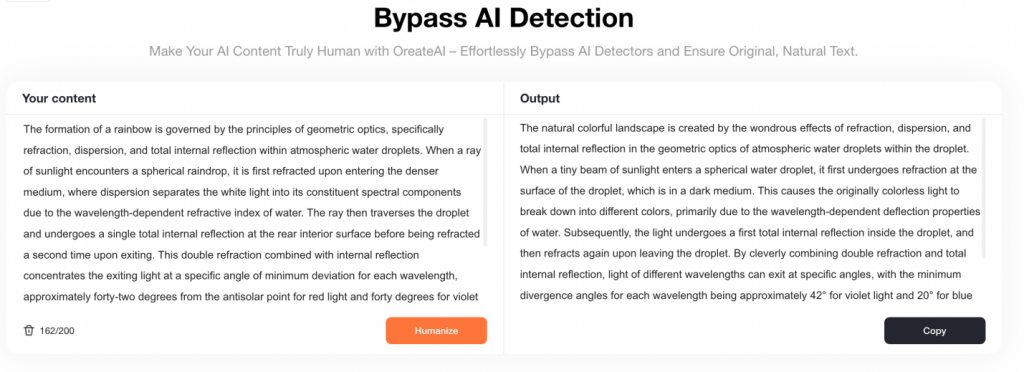
Tools like Oreate AI humanizer are packed with advanced technology that does the rewriting and editing to make the content sound more human.
Just paste your ChatGPT text into the box and click “Humanize.” Our tool will rework the sentences, replace repetitive words for better alternatives, and adjust the sentence length—so it reads more like something a real person would write.
Read and Improve Again
No matter how many changes you do, those are of no use until you re-read them. Hence, make sure to take some time out for proofreading your content. Do not do this task when you have just finished the changes.
Instead, take some rest, and allow your eyes to calm down for a moment. Now start reading. Read all the way through to the end without losing attention on how things are spelled. It is usually a good idea to edit what you have written 2 – 3 times minimum before submitting your writing for the final product.
FAQs
Can prompts really bypass AI detection?
Prompts help improve the quality of the written content provided by ChatGPT. However, prompts do not always guarantee the full bypass of AI detection tools. The aim of mastering promoting is to generate quality content and improve the workflow, but not to use it out of laziness and tricking AI detection.
How can I maintain a constant tone?
Tone conveys a particular emotion which needs to be maintained throughout the entire content. It ensures professionalism. Consistency in tone can also be maintained by giving ChatGPT very clear, straightforward, and precise prompts. Since different styles, tones, and target audiences may be required to achieve a consistent tone. Also, read out the entire content and make changes where you think the content sounds inconsistent.
What is the best way to humanize AI content?
The best way is to combine good prompts with manual editing. Add a personal touch, use simple words, and adjust sentence flow. Tools like Oreate AI are also very helpful to refine the final output.
Conclusion
ChatGPT is very helpful at producing content quickly. This typically increases productivity, reduces time spent writing, and keeps you from feeling too tired to get any writing done. But there is a downside since this type of software will be missing its emotional connection, thus not producing anything with a personal touch.
The things that you should really focus on are right prompting, clear instructions, and simple words with a consistent tone. You can learn it from the content above. It explains how to follow every approach effectively so you don’t have to struggle.
Furthermore, tools like Oreate AI humanizer have made it even easier to humanize the content. Just make sure to proofread. So practice how to make ChatGPT sound more human and create content that feels natural, engaging, and human.