One of the most valuable skills of 2026 is learning how to create AI videos on TikTok. Everything, such as refined brand content and viral short clips, is now powered by AI. Regardless of whether you are a brand, blogger, or amateur, AI tools can be used to make interesting videos without having to use costly equipment and editing expertise.
TikTok is very competitive, with a user base of more than 1.5 billion every month. AI makes scripting, visuals, voiceovers, and editing simpler with a couple of clicks and provides the creators with a great edge.
The guide includes the best tools and the main aspects of a successful TikTok video, as well as the step-by-step process of creating AI-generated content, whether with the help of free generators or premium sites.
Why Use AI for TikTok Videos?
AI video creation refers to the process of automating any aspect(s) of video production with artificial intelligence. This may involve script writing, creating images on text, providing voiceovers, captions matching, and even clockwork editing clips. AI tools particularly come in handy to TikTok creators, who save a lot of time on production and do not compromise quality.
This is the reason why an increasing number of creators are resorting to AI video tools:
- Speed: An AI video maker can create a full video on TikTok in minutes, not hours.
- No Camera Required: AI avatars, generated visuals, and libraries of stock videos allow making faceless content creators without difficulties.
- Regularity: Publish more regularly without becoming weary of hand-cranking.
- Cost Savings: AI technology substitutes costly videographers, voiceover artists, and editors.
- Trend Alignment: Trends: It is common on many AI platforms to automatically update templates based on TikTok trends.
A survey concluded that AI tools reduced the production time in TikTok on average by 70% and increased uniformity in uploads. This is a significant victory for creators who have many accounts or brands and large content calendars.
What Makes a Good TikTok Video?
It is useful to know what the algorithm and users of TikTok reward before immersing in AI tools. There are several important features of a good TikTok video:
- Strong hook within the first 2-3 seconds: The audience will make up their mind about whether to continue watching or not. Begin with a strong statement, startling image, or query.
- Vertical format (9:16): TikTok is a mobile-first platform. Always have the 9:16 aspect ratio and display in full screen.
- Stick to the point: Clips shorter than 15 to 60 seconds are best. Avoid slow intros.
- Captions or on-screen text: A high number of users view silently. The addition of text makes them interested.
- Simple call to action: Ask the viewers to do something next, follow, comment, or visit a link.
- Trending sounds and effects: TikTok promotes content to utilize its native audio trends.
- Realness: The most effective AI-generated content is the one that is native to the platform and not super-polished.
By remembering these principles, you will be able to maximize the use of any AI video tool of interest.
Five Recommended AI Video Tools for TikTok
Nowadays, there are dozens of AI tools. The following are five that shine in terms of creating content on TikTok:
1. CapCut
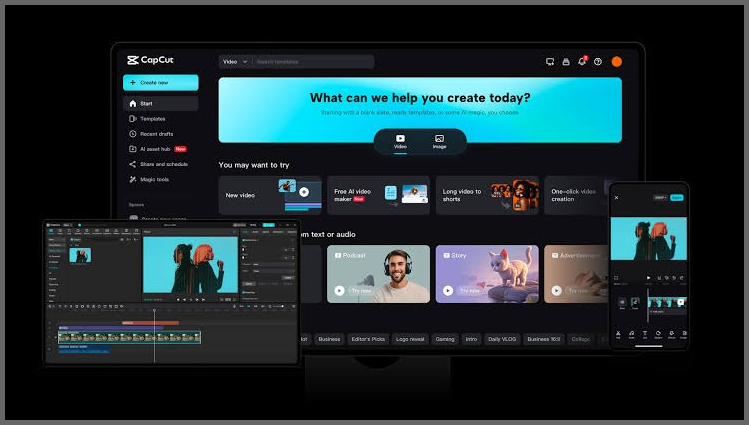
CapCut is produced by the same company, ByteDance, as TikTok. This implies that it remains very much in line with TikTok trends, effects, and sound libraries. Its AI capabilities consist of auto-captions, background removals, script-to-video conversions, and vertical style presets. The free version is free and extensive to meet the needs of creators.
- Best for: Beginners and creators who want fast, platform-native videos
- Free plan: Yes
2. InVideo AI
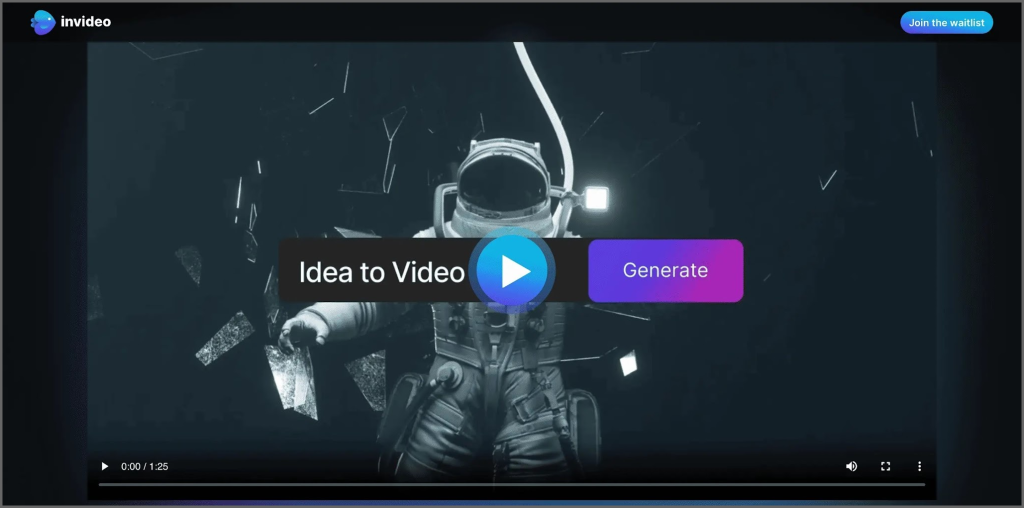
One of the most popular AI TikTok video generators that creators can use for text-to-video is InVideo AI. Input a script or topic, and InVideo will create a complete TikTok complete with voiceover, stock footage, captions, and background music. It has an impressive collection of TikTok-oriented templates.
- Best when: You have a faceless content account and bloggers who are using written content.
- Free plan: Free tier is available.
3. Runway
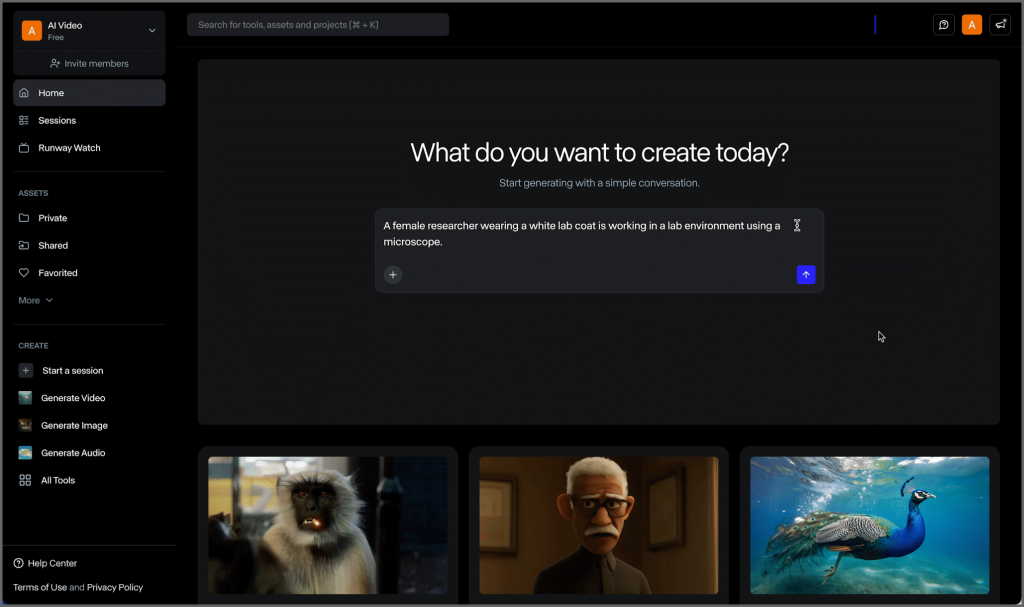
Runway is an academic application that is reputed to produce cinematic AI videos. Its Gen-3 model provides natural coherence of scenes, realistic motion, and natural lighting. Learning is more difficult than other tools, and the level of output is difficult to challenge. Perfect for makers who desire their TikToks to appear unique and luxurious.
- Best: Advanced creators, wishing to have cinematic imagery and control all the creativity.
- Free plan: New users can get free credits; exports can be watermarked.
4. Higgsfield AI
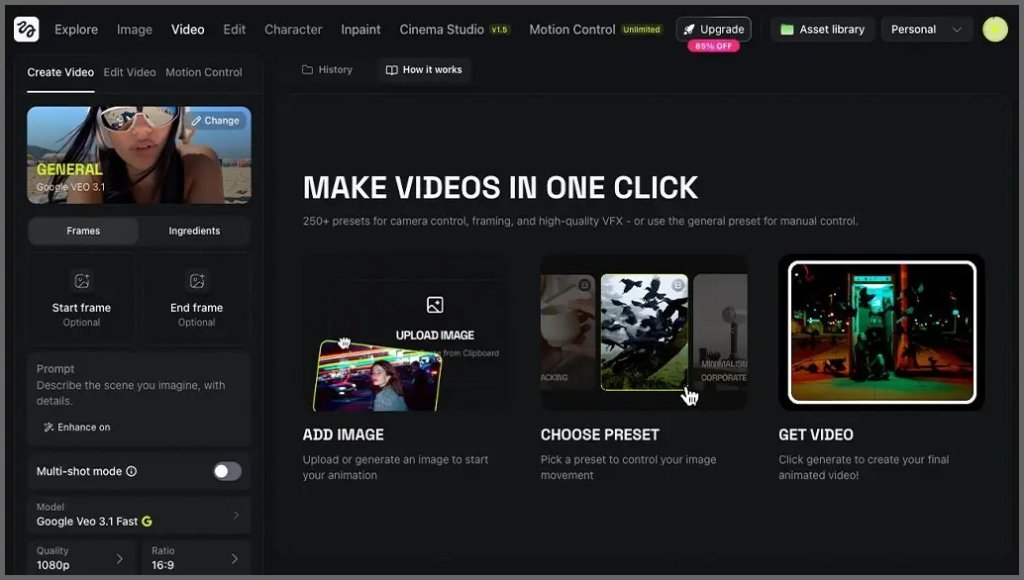
Higgsfield AI is a TikTok-centric AI-based video generator that is designed to create videos in the format of a viral. It converts text into short and engaging videos with rapid generation rates and trend-styled images. It enables physics-aware effects as well as allowing creators to make rapid iterations on specific parts without having to recreate whole clips.
- Best fits: Producers that are trend-based and rapidly iterate.
- Free plan: Free tier with restrictions.
5. Oreate AI Video
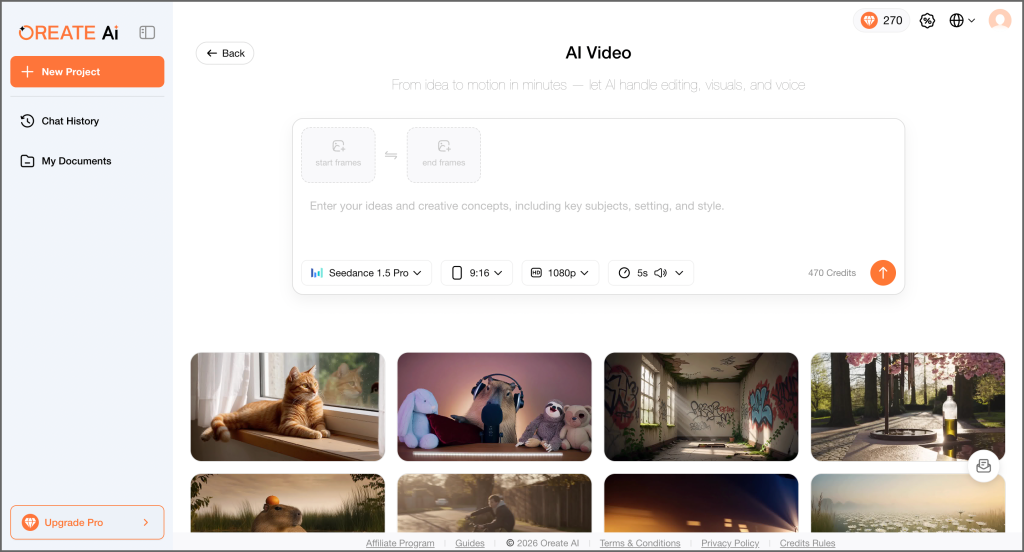
Launched in 2025, Oreate AI is an all-in-one AI workspace that brings a complete set of creative tools into one place, including AI PPT, AI Image, AI Research, AI Writing, AI Resume, and AI Video.
The AI Video option allows makers to create videos by writing text prompts or uploading an image, with options to adjust motion intensity, style, and aspect ratio. It also supports the creation of eye-catching 5-10 second TikTok videos in vertical 9:16 format, making it ideal for mobile-first content. Oreate AI is a practical choice if you need to manage all your content assets in a single dashboard, from scripts or reference photos to fully produced videos.
- Best: All-in-one content creation of video, pictures, writing, and presentation.
- Free plan: Free plan is available.
How to Make AI Videos for TikTok (Step by Step)
You can follow the full step by step process to create a complete TikTok video. Or if your goal is to quickly capture attention, creating a short 5-10 second video can be a faster option.
Create 5-10 Second TikTok Videos Quickly
If you want to attract viewers in the first few seconds, short 5-10 second videos are a practical choice. These videos focus on delivering a quick hook and are often used to grab attention in a short time.
If you specifically want to create this type of short video, tools like Oreate AI can help you do it more efficiently. You can quickly generate a 5-10 second video based on a simple idea, without going through a full editing process. Here’s the result:
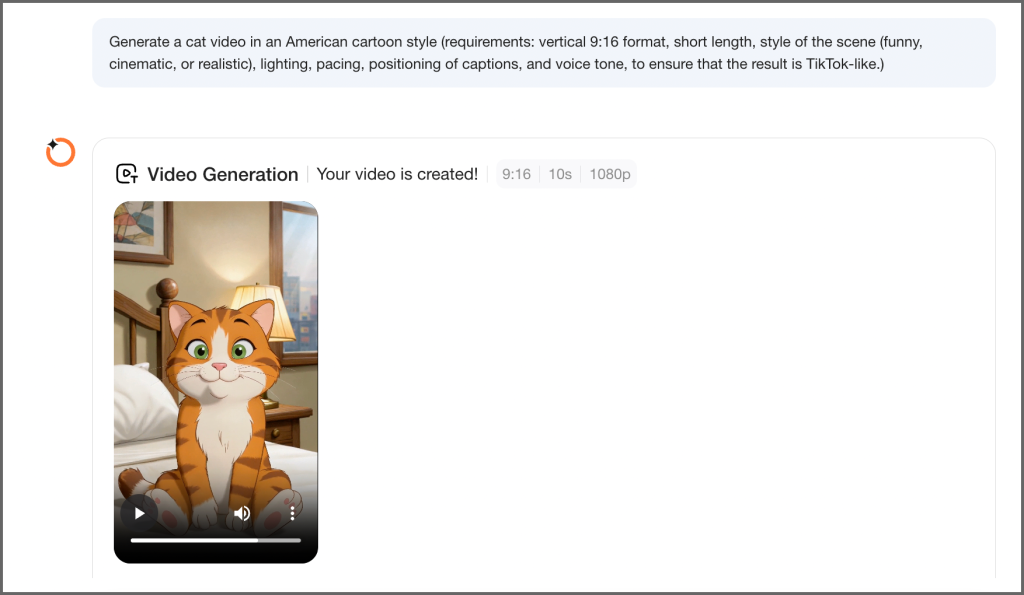
If you want to create a longer and more structured TikTok video, follow the step by step process below. This process works across most AI video tools and takes about 10–20 minutes. Let’s understand it using the Capcut AI Video Generator as an example:
Step 1: Find a Trending Topic
Research what is performing well before creating anything. Use these resources:
- TikTok Creative Center: Official platform that displays trending hashtags, sounds, and content.
- TikTok Discover Page: Shows what’s trending right now.
- Google Trends: Compare topics with search interest.
- Competitor Analysis: Identify what’s working for accounts in your niche.
Step 2: Compose Your Script
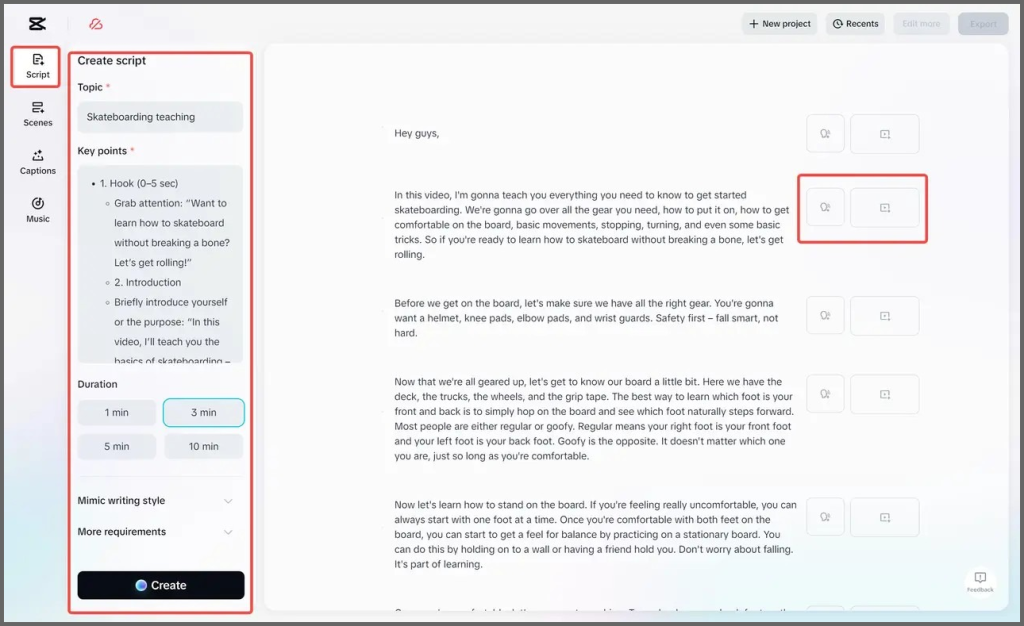
Your script should not exceed 60 seconds (ideally 15–30 seconds for new accounts). Structure it as:
- Hook: Catchy intro (1–3 seconds)
- Setup: Provide context or highlight a problem (5–10 seconds)
- Payoff: Deliver value or a punchline (10–30 seconds)
- CTA: Encourage engagement (3–5 seconds)
Step 3: Create Using Capcut
- Open Capcut. And Choose “Text-to-Video” and type or paste your script.
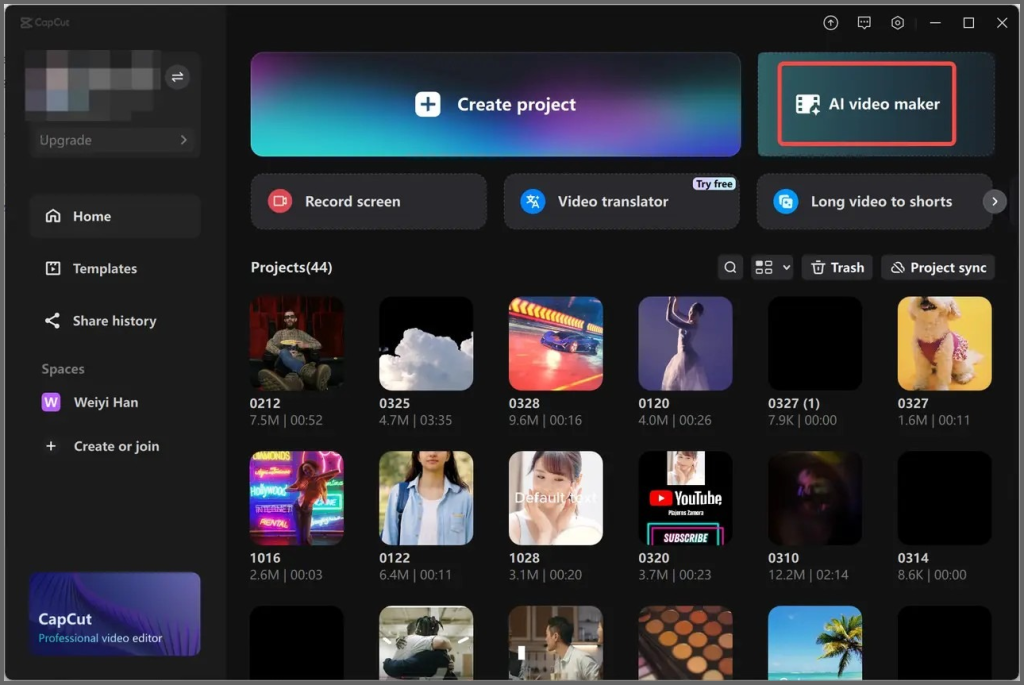
- Generate the video (typically under one minute).
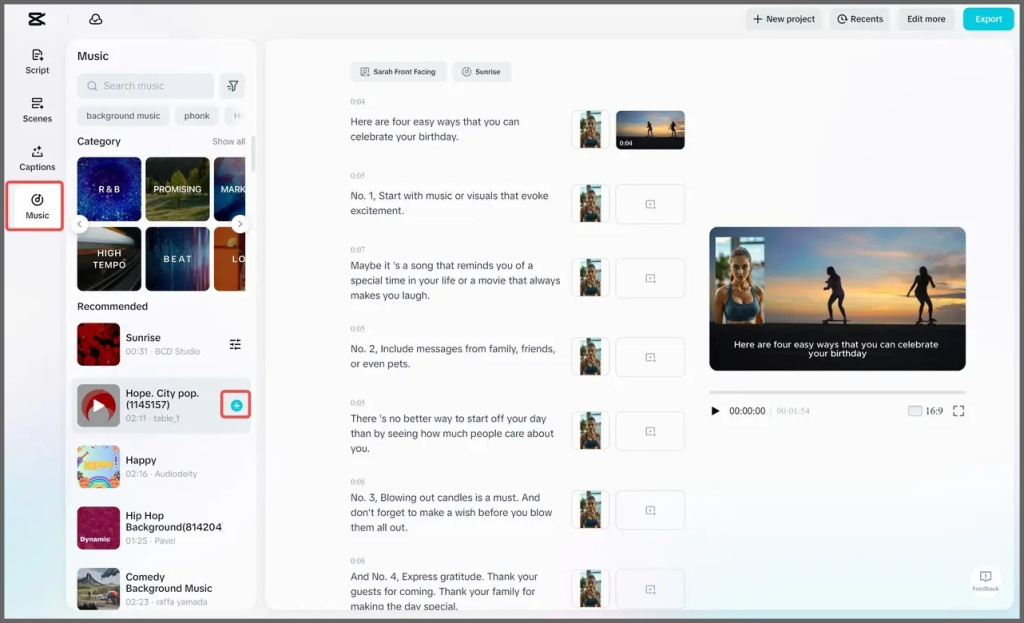
Step 4: Add Captions and Background Music
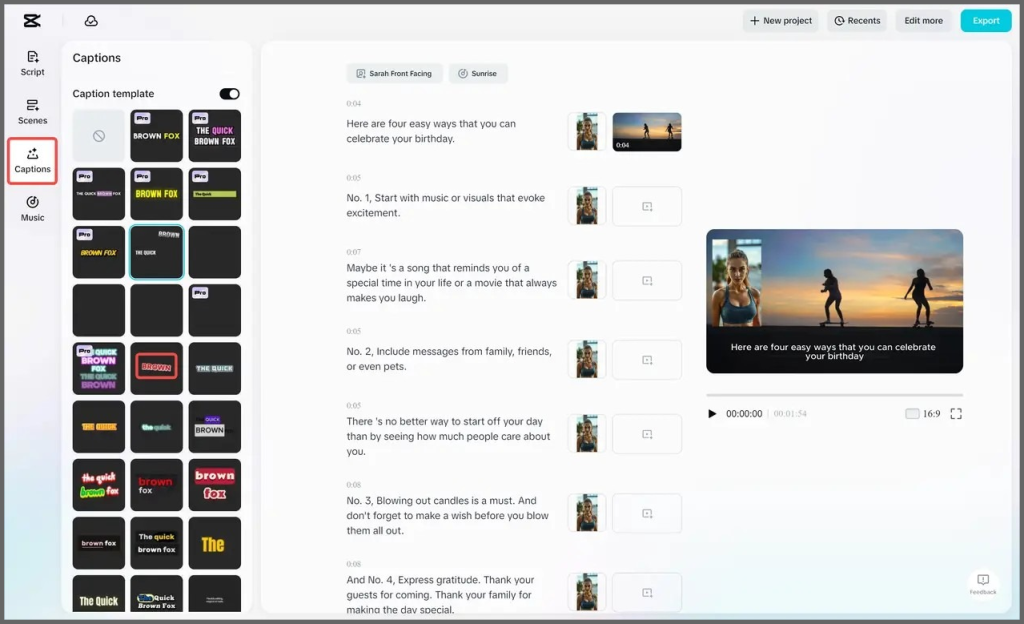
This step is non-negotiable. People love captions and they make it more understandable.
- Use auto-captioning or add captions manually for better styling and control.
- You can also add background music from “Music” tab containing audio tracks.
Step 5: Optimize on TikTok
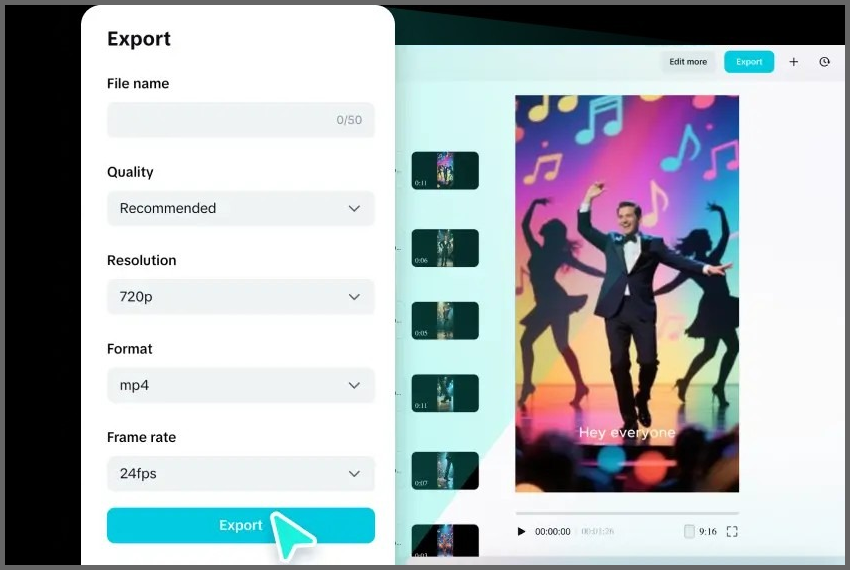
- Export in 9:16 vertical format (1080 × 1920 recommended).
- Write a compelling caption using 3–5 relevant hashtags.
Watch the completed video, verify captions and time, and export at a high quality. Post it on Tik Tok with an understandable caption and hashtags.
Tips for Making AI TikTok Videos That Go Viral
With the knowledge on how to make AI TikTok videos, small adjustments can be made to improve the performance. Understand how to enhance retention, consistency, and content quality to expand reach and engagement.
- Hooks the first 3 seconds: Powerful hooks retain the viewers and enhance the promotion.
- Make native-style content: Software such as CapCut or Higgsfield is designed to make TikTok-friendly content.
- Post regularly: Intend to create 3-5 videos a week; AI allows for scaling.
- Winners to repurpose: Take videos that perform well and make them a series with new angles.
- Analyze data: Monitor time, completion rate, and shares in TikTok Analytics.
- Include a CTA: Attract follows, comments, or link clicks.
- Combine AI tools: Add various tools to clips, captions, and edits.
- Test and improve: Continue to refine performance feedback.
Conclusion
The ability to create AI videos on TikTok has become one of the most commendable skills that a content creator could have ever learned. AI tools eliminate virtually all obstacles to production – you need not have a camera, a studio, or years of editing experience. Using the right TikTok video maker, you can create a video starting with a blank page and publish it in less than 30 minutes.
Begin with a free plan, experiment with some of the tools with the same idea, and find which one provides the desired results.
Now is the best time to begin making AI TikTok videos. Choose a tool, create your first video today, and see how AI works on your content!
References
PC Tech Magazine (2026). Best 5 AI Video Generators for TikTok and Instagram. https://pctechmag.com/2026/04/best-5-ai-video-generator-for-tiktok-and-instagram/
PostEverywhere (2026). 25 Best AI Tools for TikTok in 2026. https://posteverywhere.ai/blog/25-best-ai-tools-for-tiktok
CrePal (2026). Best AI TikTok Video Generator Tools in 2026. https://crepal.ai/blog/aivideo/aivideo-best-ai-tiktok-video-generators/
Sider AI (2025). Top 10 Free AI Video Generation Tools to Try in 2025. https://sider.ai/blog/ai-tools/top-10-free-ai-video-generation-tools-to-try-in-2025
Higgsfield AI. TikTok AI Video Generator. https://higgsfield.ai/sora-trends/tiktok