AI image generators have made everyone capable of editing images like a professional. Without any skills and expertise, you can create a pixel-perfect image in no time. All it needs is a text prompt to personalize AI photos.
But if you still don’t know how to incorporate yourself in an AI image generator and are looking for the exact steps to follow, this article will help you out:
- We will explain how to prompt image generators and generate AI photos according to your requirements.
- We will also share some incredible AI tools that you can use to generate and edit your photos and get exceptional results.
What Does It Mean to Incorporate Yourself in an AI Image Generator?
Incorporating yourself in an AI image generator means turning your simple image into an AI photo of your choice. Whether you need a retro look, artistic appearance, cinematic lighting, or pencil sketch, AI generators can do everything.
- For instance, if you have an informal photo, but you need to generate a formal photo for your ID or resume, AI generators can do it instantly. They can change the pose, clothes, background, aspect ratio, and everything to make your photo look professional.
- Imagine you took a simple photo at home, but want to turn it into a stylish social media profile picture. With an AI image generator, you can change the background, outfit, lighting, and overall style to create a more polished and eye-catching image.
All you need to do is upload your image, tell the AI generator what you want in simple text, and it will generate the image you are looking for. If you need further changes, you can tell AI to refine the image further until it is according to your expectations.
How to Incorporate Yourself in an AI Image Generator (Step-by-Step)
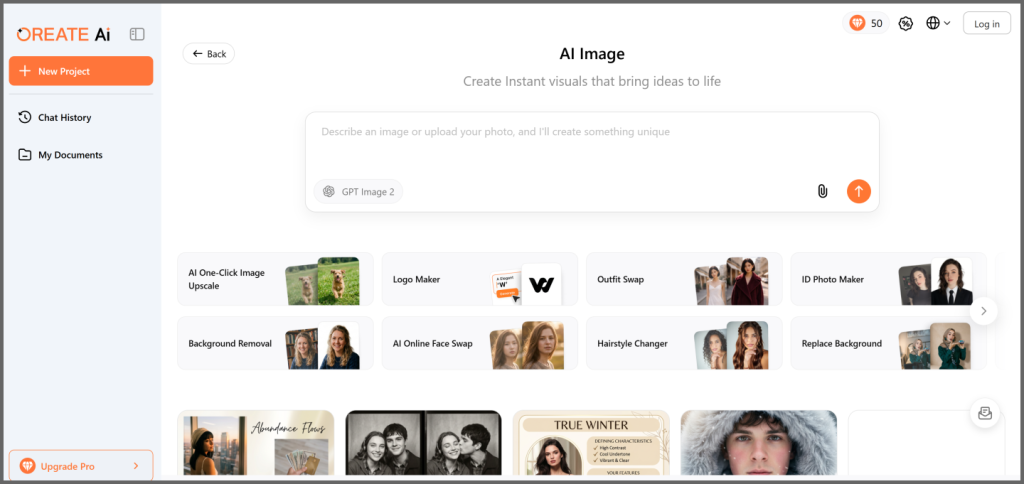
Step 1: Open your browser and go to Oreate AI Image.
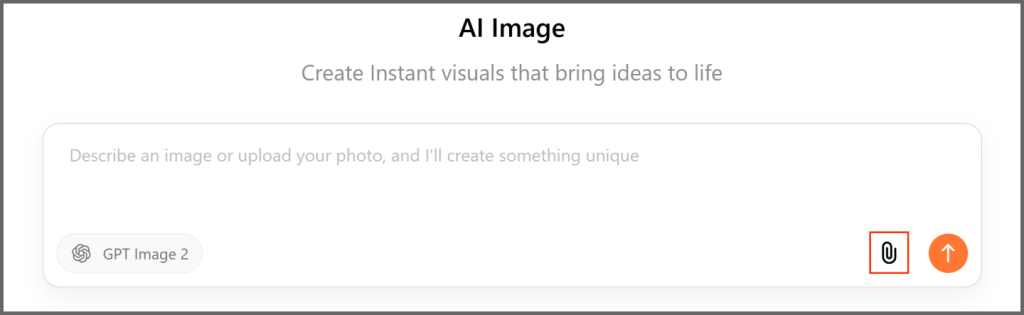
Step 2: Click the paperclip icon on the tool. Select the image you want to incorporate in the AI image generator.
Step 3: After uploading the image, you need to write the prompt. We have uploaded the following image.
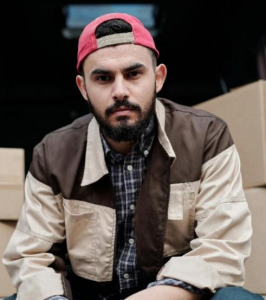
Explain what you want to do with the picture. Be as detailed as possible to let the AI understand your expectations. In our case, we are explaining how AI can turn an informal image into a formal one.
- Here is our prompt: “I want to submit an image for the ID card. Please turn this image into a formal image. Please make sure the tie is blue with white stripes.”
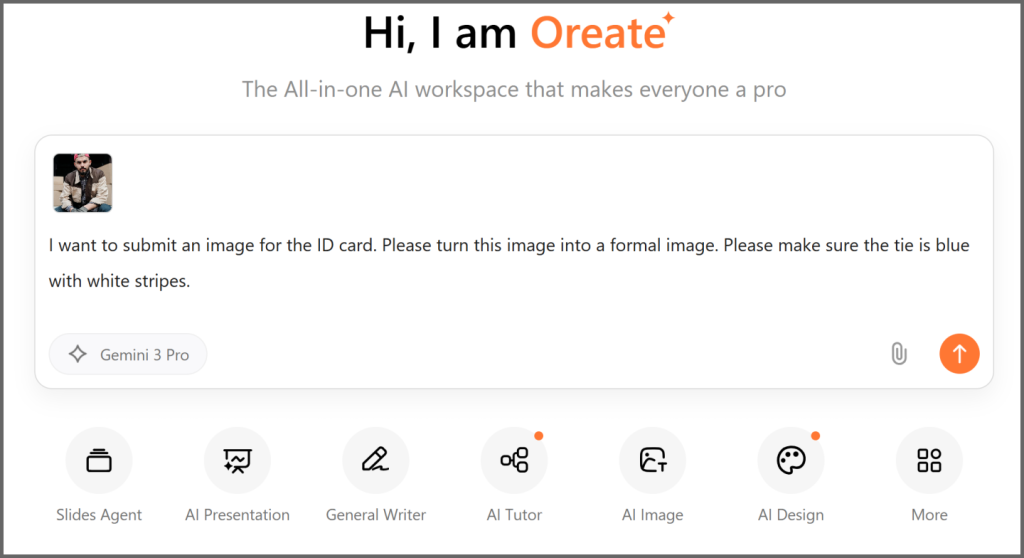
Step 4: Oreate AI has changed the informal image into a formal image in no time. It has changed the background, pose, clothes, everything. It also took care of the details, and the tie has the same color and pattern. The final image is perfect for the ID.
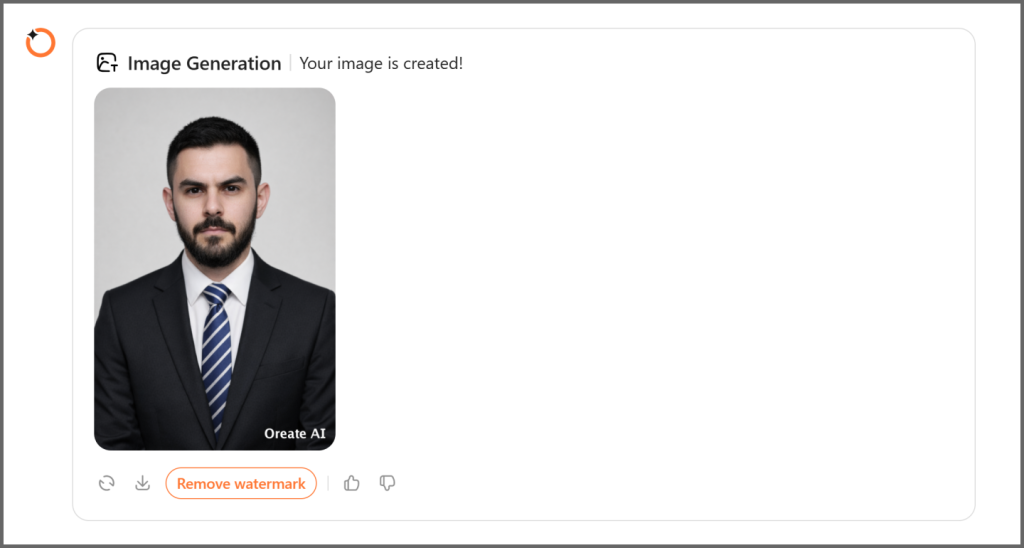
Step 5: If you need any changes at this stage, such as the color of the tie or anything else, you can write a prompt at the bottom. When you are satisfied with the final image, you are ready to download it.
How to Prompt Image Generators for Better AI Photos
People who have just started using AI image generators often complain about the results. They complain that the image doesn’t look real or has issues with styling, lighting, and composition. But most of the time, the issue isn’t with the AI image generator. The real problem is the prompt.
The result of AI image generators depends on the prompt. If you want to get the image you want in one go, make sure to explain every detail and be specific.
If you are not explaining the details, it means you are giving a free hand to the AI generator. It will consider the information you have provided and do the rest on its own. Suppose you have not explained the color for the shirt, the AI generator will pick a suitable color on its own.
Thus, you should try to explain everything you want in the final image. Write the specific style, color, scene, etc.
For instance, in the above section, we have explained the color of the tie we wanted in the final image. Similarly, you can explain the color of the shirt, blazer, etc.
That does not end here. Suppose you had your hair dyed golden at that time, but now it’s black; you can also address that detail while writing the prompt. Explain the styling, scenes, and other things clearly.
You can make this even easier by following a simple prompt structure:
- Place me in [scene],
wearing [outfit],
with [lighting],
in [style],
high resolution, realistic details.
This structure ensures you don’t miss any important elements.
Try Oreate AI and write a few prompts. Over time, you will have an idea of how to prompt image generators. Your prompt writing skills will improve.
Best AI Tools to Create AI Photos of Yourself
Leonardo AI Image Generator
Pricing: Has the free plan, and the premium plan starts from $10 per month
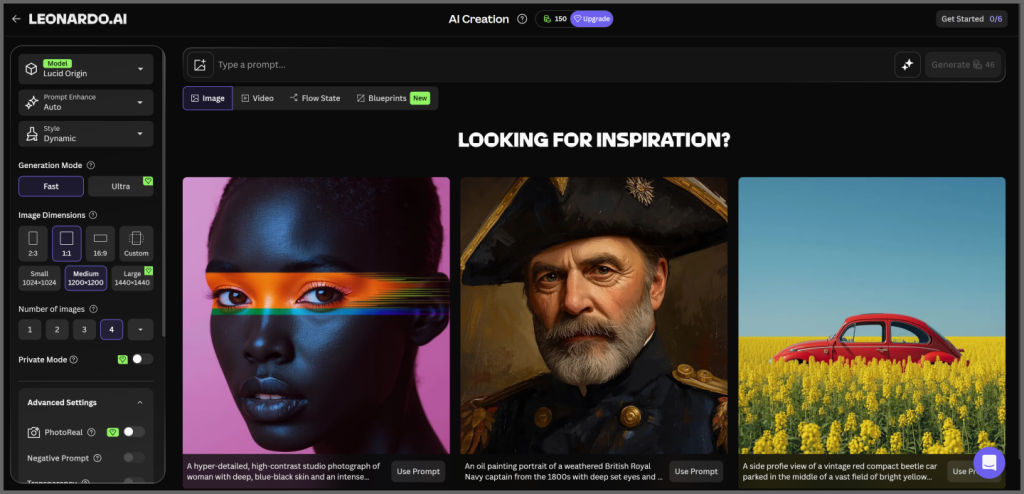
Leonardo AI Image Generator is an incredible tool that allows you to harness the power of multiple image generation models, such as GPT Image 2, Nano Banana, Lucid Origin, Flux.2 Pro, and Seedream 4.5. If you are not sure what model to select, just set it on Auto, and it will select the best model according to the prompt.
It’s an incredible tool designed for professionals, such as digital artists, game developers, marketers, and YouTubers. The reason is its pixel-perfect image; you will get extremely clear and detailed images.
The notable feature is that you can do upscaling and post-processing of the generated images. If there is anything you don’t like, you can change it.
Oreate AI Image
Pricing: 1500 monthly credits for $19.99 or 3-day credits for $3.59.
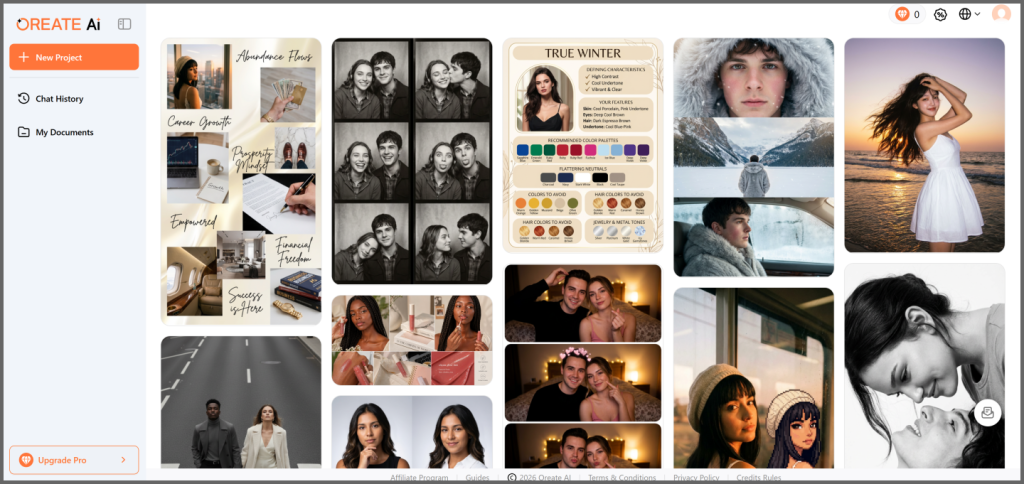
Oreate AI Image is a versatile tool that allows you to generate any style, scene, or composition. There is no limit; you can do anything. Just tell the AI what you want, and it will generate a perfect image for you.
Whether you want to upscale your image, swap the outfit, create a photo for your ID, change your hairstyle, replace the background, generate a headshot, or make any kind of changes, it’s an incredible option.
It’s a powerful AI image generator that uses GPT Image 2, which ensures incredible accuracy and exceptional results. The best thing about Oreate AI is its templates. You can use the templates, and you only need to add your images. It’s a user-friendly tool that almost anyone can use.
Midjourney
Pricing: The basic plan costs $10 per month, while the Mega plan costs $120 per month.
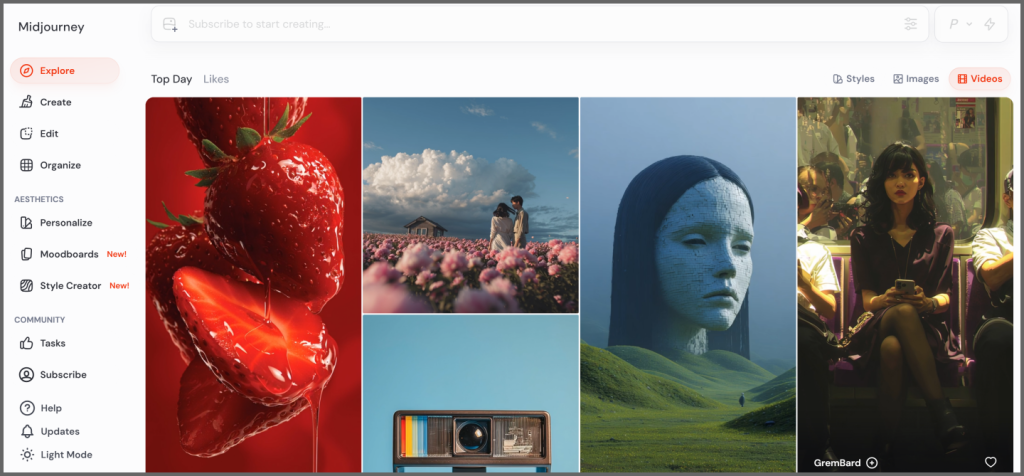
If you want to incorporate yourself in an AI image generator and create an artistic image, Midjourney is the best option. It offers near-photorealistic textures and is able to understand extremely complex prompts.
You can do advanced changes in your image. You can select a specific part of the image and make changes in it. You can zoom in, zoom out, upscale, adjust pose, and make any kind of changes in the image.
But keep in mind that prompting in Midjourney isn’t easy. It takes time and effort, and you need to learn how to do it correctly. Beginners might get confused after their first use.
FAQs
How do I generate an AI image of myself?
Go to Oreate AI Image and upload your image. You can select a template if you want. Otherwise, you can write a prompt and explain what you want in your AI image. It will generate the image within a few seconds.
Are there free AI image generators?
Yes, you can try the free version of Leonardo AI, Gemini, or Oreate AI. But keep in mind that free AI generators have limitations. For instance, Gemini uses the Imagen 3 or 4 model in the free plan. For Nano Banana, you have to go for Gemini Pro. Similarly, you can generate free AI images with Oreate AI.
How to write better prompts?
For writing better prompts, you should list what you actually need. For instance, the scene/context, clothes, style, lighting, angle, etc. Once you have a list, you know what to include in the prompt. Now, write sentences to include every detail and be as specific as possible.
Conclusion
You can quickly learn how to incorporate yourself into an image generator and change it as you like. It’s extremely simple. However, the result highly depends on the prompt. And that’s what you have to learn and improve. If you use AI image generators and write prompts frequently, you will hone the skill of prompting. It requires time and practice.
Try different AI image generator tools and explore ways to create unique AI photos of yourself!