In 2026, podcasts have gained great importance. Everyone is seeking to make one, which has also given rise to the question of “how to make a podcast for free.” Especially, people working with a tight budget don’t want to risk anything.
Well, you can actually create amazing podcasts for free with high-tech free tools like Oreate AI. No studio, no huge setup. The tools write amazing scripts with a super-engaging tone, generate the voice, and produce the audio.
If you think it’s complex, it’s actually very easy. The interface is especially designed for people with no tech skills who still want to produce worthy and breathtaking content. In the blog, we will explain how you can effectively use Oreate AI to make a podcast within minutes. So let’s dive in.
Why Create a Podcast with Oreate AI?
Though in 2026 you can find a long list of AI tools, Oreate AI podcast tool remains the talk of the town. Here is why to create a podcast with Oreate AI.
Easy for Beginners
The main reason is that the tool is especially designed for beginners struggling to create podcasts. Oreate AI, with its super easy-to-use and clean interface, gives them the platform to use AI to create podcasts easily and efficiently. No skills are required. Just a few steps and voila, you get a podcast all ready with script and audio.
Fast and Efficient
Creating a podcast manually is a lengthy process. It drains the energy and causes mental frustration. However, when you work with Oreate AI podcast maker, you make a podcast within minutes. Hence, it makes the process fun, fast, and efficient.
High Quality Output
Despite being free to use, the tool provides professional results. It gives the most realistic and natural AI voice with quality scripts and amazing storytelling. Therefore, you get quality results without spending endlessly on heavy equipment.
All-in-One Podcast Creation
Oreate AI brings everything together in one platform. You can get:
- Two-speaker conversation audio
- Full scripts
- A cover image
- Summary for whole podcast content
- Export-ready files (HTML & PDF)
This makes it a powerful free AI podcast generator. The best part is that you do not have to switch apps to use the tools. Instead, all of these tools are available in a single place.
Flexible and Scalable
Oreate AI is not limited to one type of podcast. You can use it for:
- Educational content
- Storytelling
- Business topics
- Personal experiences
This flexibility makes it a reliable free AI podcast generator for different users. As you grow, you can create more content easily and scale your podcast without extra effort.
Step-by-Step Guide: How to Generate Your Podcast
Working with Oreate AI is highly efficient and super easy. Here is a detailed guide on how to make a podcast for free using Oreate AI.
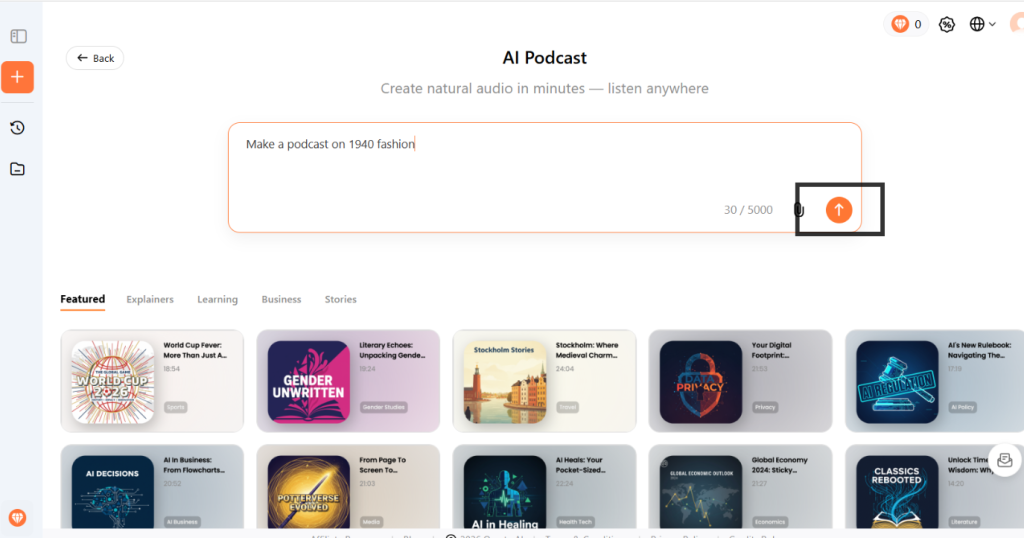
Step 1: Choose Your Podcast Idea
We should know that all tools are mechanisms, and unless you can provide clear guidelines for them, they cannot understand our emotions. So for best results, provide Oreate AI with short, concise, and accurate guidelines or the base of the podcast. Avoid over-explaining.
Oreate AI also provides some podcast templates. You just need to supplement the template instructions and add the details you want. This is where a free AI podcast generator becomes very helpful.
Step 2: Write Your Script
When you clear your goals, topic, and concepts, you can start creating your script. This is an important step when learning how to create a podcast for free, as an excellent script can improve quality. Oreate AI can generate full scripts based on your topic.
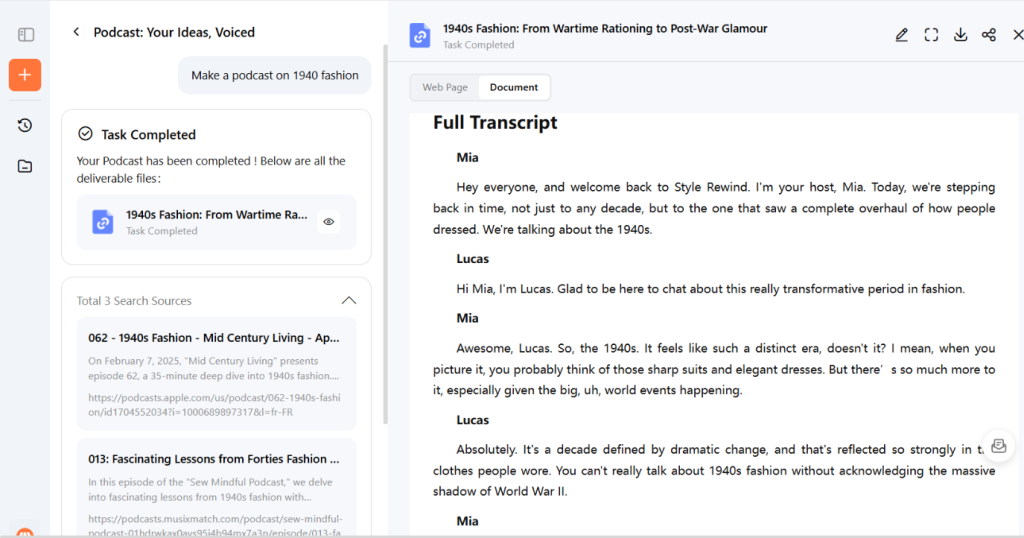
Tips for podcast generation:
- Use simple words
- Keep sentences short
- Add reference files
Step 3: Generate Podcast Audio
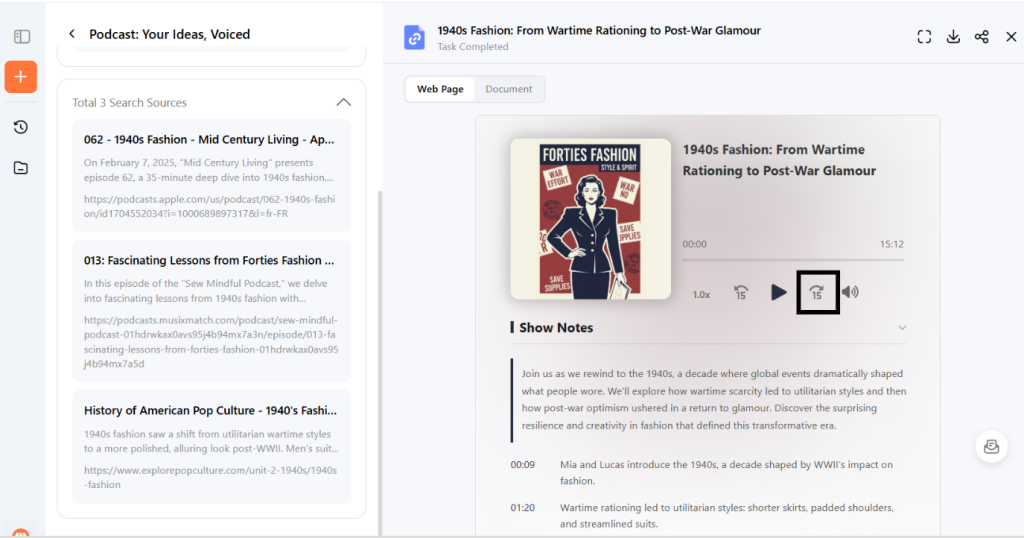
Now that you have the script, it is time to generate the podcast. You will see a button “Generate“. Click it, and Oreate AI podcast generator produces a complete, conversation-style podcast with both audio and a full text transcript.
Step 4: Check and Export
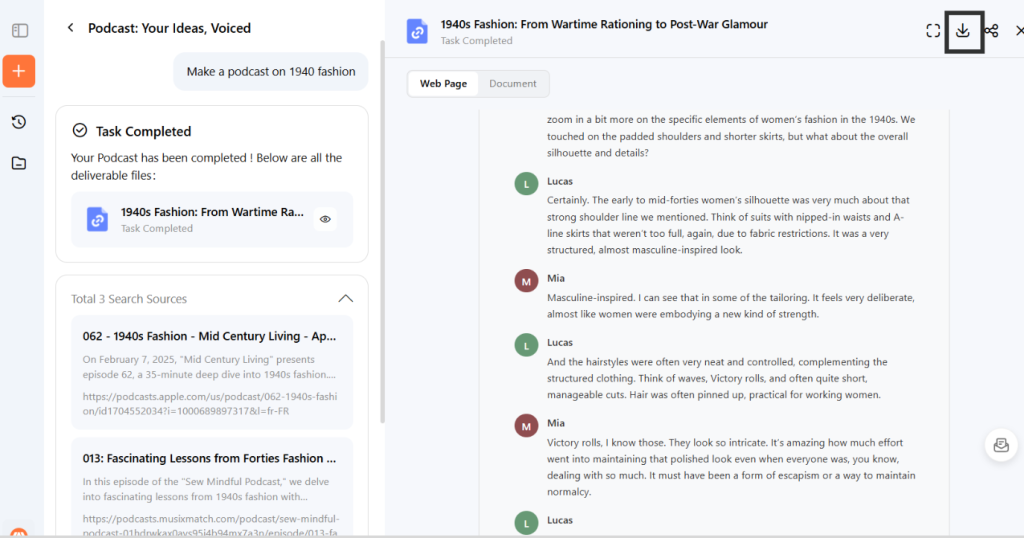
Once your podcast is ready, you can check the output. If everything looks good, simply click “Export” to download the AI-generated podcast as separate MP3 files and editable transcripts, or get the complete package as a portable HTML or PDF.
Free Podcast Generator Alternatives
While Oreate AI with high technology is the most famous tool, there are other good tools too, you can try and find the one that suits your needs.
Wondercraft AI
Wondercraft AI is a popular free AI podcast generator. The tools work by adding the text or the scripts, and it transforms the plain text to a podcast with a human-like voice. You can also create episodes and outlines from the content that you already have. This makes it a top pick for people who desire to turn their existing blogs into podcasts.
Features:
- AI voice generation
- Script editing
- Audio tools
Podcastle
Podcastle is another option. It is perfect for creators who are seeking tools that will allow them to make easy adjustments to the voice without any hassle. It lets one split and trim the audio very easily. You can remove words that are not so good by simply discarding them from the script. Therefore, it reduces the hours of editing work by offering a simple interface and professional results. It works as an AI to create a podcast tool for users who want more control over recording.
Features:
- Audio recording
- AI editing
- Noise removal
Descript
Descript is one more great AI-based tool for creating podcasts for free. You can delete words from text, and it updates the audio automatically. Though the free version has limited export hours, the tool is wonderful for beginners seeking simple editing with good output quality.
Features
- Edit audio like a text document
- AI voice cloning
- Screen and audio recording
- Automatic transcription
Common Questions About Oreate AI Podcasting
Do AI voices sound natural?
Yes. Modern AI voices are very realistic. Tools like Oreate AI podcast generator provide very smooth and clear audio that sounds close to human speech. Hence, the tone is engaging, which ensures perfect storytelling and a marvelous listening experience.
Can I monetize my AI podcast?
Yes, you can. If you are uploading the podcast on platforms like YouTube, you can apply for monetization.
How do I turn an existing blog post into an episode?
You can paste your blog into Oreate AI or upload it as a doc. or pdf. file. It will convert text into audio. This is one of the easiest ways to use AI to create podcasts without writing new content.
Final Thoughts
In a nutshell. Oreate AI is a smart choice as the tool helps create great podcasts with no technical skills and no investment. You can go from idea to published podcast within minutes. Recording is the trickiest part of a podcast. With an Oreate AI voice that sounds super natural, you overcome the biggest challenge.
There is no need for the microphone or the recording setup that could have cost you a lot. Above, we have discussed a step-by-step guide that will help you create a podcast with AI quickly and easily. Just follow the steps accurately and start creating podcasts today.